
Utility / Volume
Stereo utilities and volume swells.
| Module | In short |
|---|---|
| Utility | Balance, Width and polarity reshape stereo; Fine delay aligns paths. |
| Auto Swell | Threshold triggers the fade-in; Release closes the next gap. |
Utility
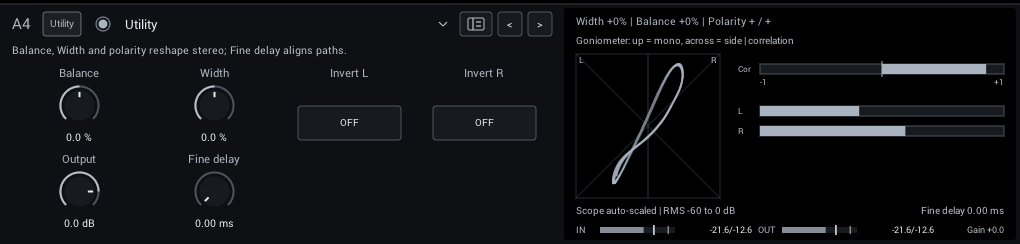
Balance, width, polarity and a short fine delay for aligning parallel lanes.
| Control | Range | Start | What it does |
|---|---|---|---|
| Balance | -100 to +100% | 0% | Attenuate one side of existing stereo; this does not pan a mono voice into new stereo. |
| Width | -100 to +100% | 0% | -100 folds to mono, zero preserves stereo, +100 doubles the side signal. Mono input stays mono. |
| Invert L | Off / On | Off | Reverse this channel's polarity for phase alignment; not an on/off mute. |
| Invert R | Off / On | Off | Reverse this channel's polarity for phase alignment; not an on/off mute. |
| Output | -60 to +12 dB | 0 dB | Final level. Match bypass volume when comparing tones. |
| Fine delay | 0–20 ms | 0 ms | Delay both channels by a few milliseconds for parallel-path alignment; this is an audible offset. |
Display: A goniometer, the left/right correlation and the channel levels.
Tips:
- Width cannot create stereo from a mono signal; place stereo effects after a mono capture.
Auto Swell
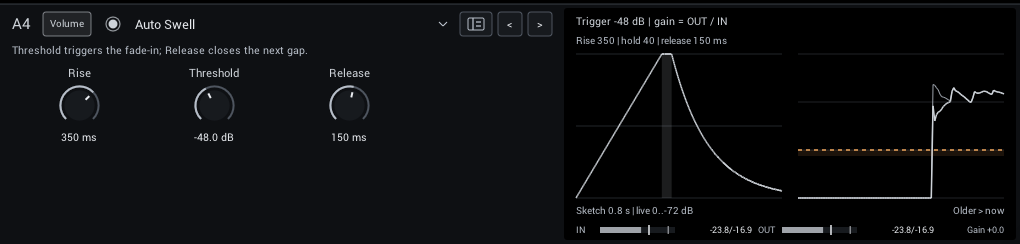
A volume swell that removes the pick attack and fades each phrase in. Pause below the threshold to re-arm.
| Control | Range | Start | What it does |
|---|---|---|---|
| Rise | 10–2000 ms | 350 ms | Fade-in time after the input crosses threshold; longer settings soften the pick attack. |
| Threshold | -72 to -12 dB | -48 dB | Input level that triggers a swell. Set below quiet notes but above background noise. |
| Release | 20–800 ms | 150 ms | How quickly the swell closes after the input falls below threshold. |
Display: The swell envelope, and the input against the output.