
Dynamics
Gates, compressors and limiting.
| Module | In short |
|---|---|
| Noise Gate | Threshold opens the gate; Release and Reduction shape the gaps. |
| Noise Gate (Smart) | Learn the noise alone; Sensitivity and Reduction protect sustain. |
| Digital Black Gate | Zero-crossing gate darkens quiet tails; Hysteresis adds the strip's re-arming behaviour. |
| Smooth Compressor | Gentle leveling; Attack preserves pick, Makeup restores level. |
| Punch Compressor | Firmer compression; slow Attack and parallel Mix retain punch. |
| Butter Comp | Gentle polarity-sensitive glue with output-dependent recovery; Mix retains dry attack. |
| Outboard Channel | Channel strip: cuts, compression and saturation in one module. |
| Peak Limiter | Fast peak control; Ceiling and Release set grip and recovery. |
Noise Gate
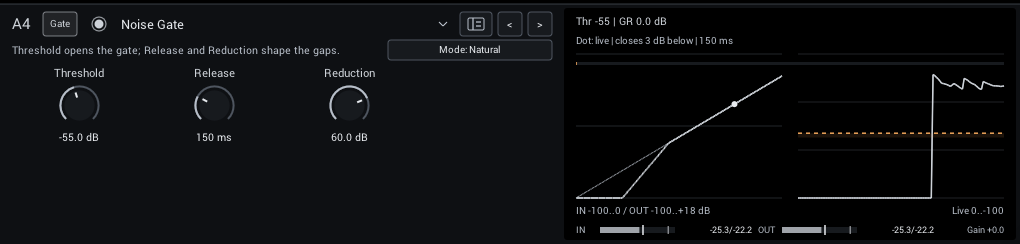
A gate with Natural (gentle 2:1 expansion, 1.5 ms opening, 40 ms hold) and Tight (deep closure, 0.3 ms opening, 15 ms hold) modes.
| Control | Range | Start | What it does |
|---|---|---|---|
| Threshold | -90 to -10 dB | -55 dB | Input level that opens the gate; set it above the noise and below your quietest notes. |
| Release | 20–500 ms | 150 ms | Gate closing time; longer values preserve note tails. |
| Reduction | 0–80 dB | 60 dB | Attenuation when the gate is closed; less keeps natural room tone. |
In the header:
- Mode (Natural, Tight; starts at Natural) Natural closes gently; Tight clamps gaps more firmly. Threshold, Release and Reduction remain independent.
Display: The static gate curve with a dot at the live input, and the input/output history.
Tips:
- Set Threshold with the guitar's volume up and strings muted, just above the noise.
Noise Gate (Smart)
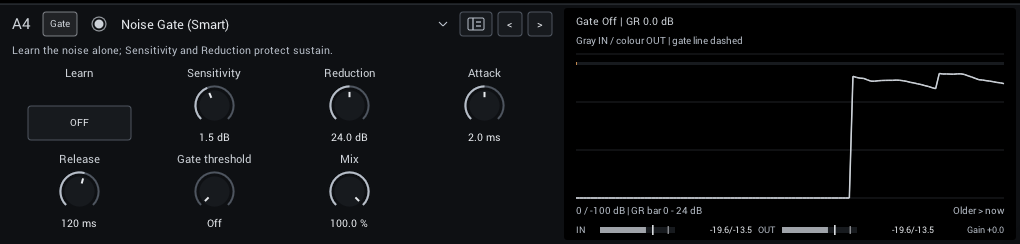
Learns your rig's noise profile and reduces it frequency by frequency, with an optional final gate. See Noise Gate (Smart) for setup and tips.
| Control | Range | Start | What it does |
|---|---|---|---|
| Learn | Off / On | Off | Learn while playing only the unwanted noise, then turn Learn off before playing guitar. |
| Sensitivity | -6 to +12 dB | 1.5 dB | Raise the learned noise threshold; too much can reduce quiet sustain. |
| Reduction | 0–48 dB | 24 dB | Maximum reduction in noisy bands. Less can retain more natural room tone and note tails. |
| Attack | 0.2–20 ms | 2 ms | Speed at which the denoiser lets new signal through; short settings preserve pick attacks. |
| Release | 20–500 ms | 120 ms | Recovery toward noise reduction after notes; longer settings preserve sustain. |
| Gate threshold | -100 to 0 dB | -100 dB | Optional final gate after denoising. Minimum is Off; raise carefully to avoid cutting sustain. |
| Mix | 0–100% | 100% | Balance between dry sound and effect. |
Display: Gain reduction, input and output over time, and the gate threshold.
Tips:
- Learn with the guitar connected and strings muted, for a few seconds, then turn Learn off.
Digital Black Gate
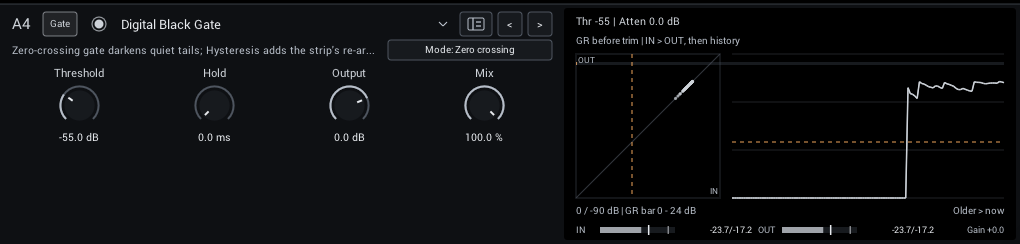
A gate after Airwindows DigitalBlack that darkens notes as they close, or the firmer gate from Airwindows CStrip in Hysteresis mode.
| Control | Range | Start | What it does |
|---|---|---|---|
| Threshold | -74 to -10 dB | -55 dB | Level that opens the gate. |
| Hold | 0–200 ms | 0 ms | Keeps the gate open this long after the signal last crossed Threshold, so noise near Threshold does not make it chatter. 0 ms is the original Airwindows gate. |
| Output | -18 to +6 dB | 0 dB | Final level. Match bypass volume before judging the effect. |
| Mix | 0–100% | 100% | Balance between dry sound and the gate with its darkened closing texture. |
In the header:
- Mode (Zero crossing, Hysteresis; starts at Zero crossing) Zero crossing darkens notes as they close; Hysteresis is a firmer gate that re-arms cleanly. Switching fades smoothly.
Display: Input against output with the threshold, and the attenuation history.
Tips:
- If noise near Threshold makes the gate chatter, raise Hold to 30 to 80 ms or set Threshold a few dB higher.
Smooth Compressor
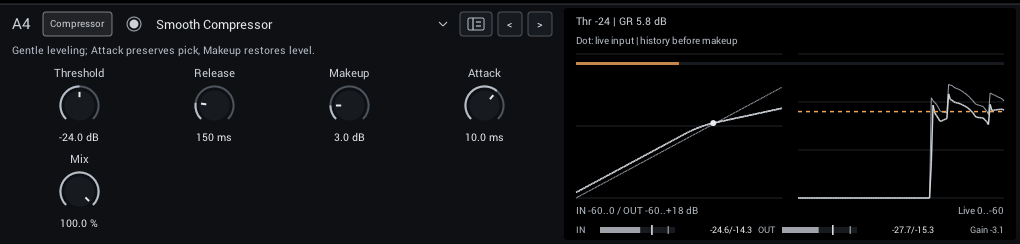
Gentle 2.5:1 compression with a soft 9 dB knee for leveling and sustain.
| Control | Range | Start | What it does |
|---|---|---|---|
| Threshold | -48 to 0 dB | -24 dB | Level above which compression starts. |
| Release | 40–600 ms | 150 ms | How quickly compression lets go after a loud note. |
| Makeup | 0–18 dB | 3 dB | Level compensation after compression; compare with bypass at similar loudness. |
| Attack | 0.5–50 ms | 10 ms | How quickly compression catches a note. Slower attack lets more pick transient through. |
| Mix | 0–100% | 100% | Balance between dry sound and effect. |
Display: The compression curve with a dot at the live input, and the history before makeup.
Tips:
- Lower Threshold until the gain reduction reads 3 to 6 dB on normal playing, then match loudness with Makeup.
Punch Compressor
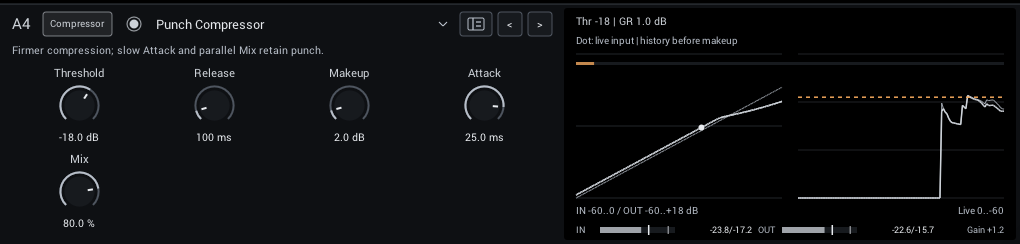
Firmer 4:1 compression with a 3 dB knee and a slower default attack, so the pick transient passes. Mix gives parallel compression.
| Control | Range | Start | What it does |
|---|---|---|---|
| Threshold | -48 to 0 dB | -18 dB | Level above which compression starts. |
| Release | 40–600 ms | 100 ms | How quickly compression lets go after a loud note. |
| Makeup | 0–18 dB | 2 dB | Level compensation after compression; compare with bypass at similar loudness. |
| Attack | 0.5–50 ms | 25 ms | How quickly compression catches a note. Slower attack lets more pick transient through. |
| Mix | 0–100% | 80% | Balance between dry sound and effect. |
Display: The compression curve with a dot at the live input, and the history before makeup.
Tips:
- Keep Attack around 20 to 30 ms to let the pick through, and use Mix to bring back dynamics.
Butter Comp
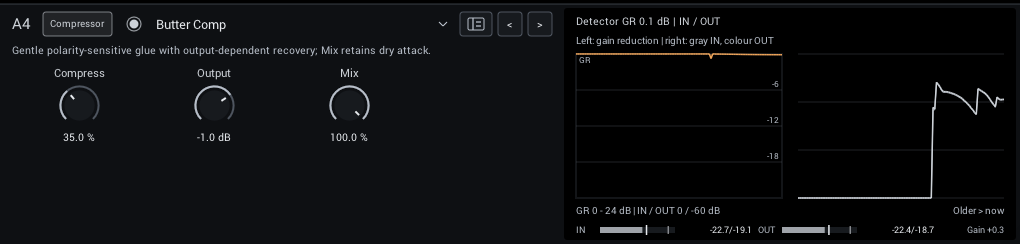
Airwindows ButterComp2 glue compression with automatic level recovery. Try it across a full rig for subtle cohesion.
| Control | Range | Start | What it does |
|---|---|---|---|
| Compress | 0–100% | 35% | Compression amount, with automatic level recovery. |
| Output | -18 to +6 dB | -1 dB | Final level. Match bypass volume before judging compression. |
| Mix | 0–100% | 100% | Parallel blend of dry and compressed sound. |
Display: Gain reduction, input and output over time.
Outboard Channel
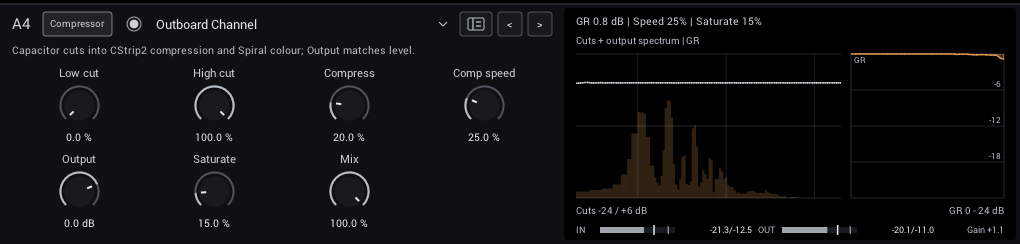
A channel strip after Airwindows CStrip2: low and high cuts into a compressor and output saturation. The cuts and compressor use relative amounts rather than Hz or milliseconds.
| Control | Range | Start | What it does |
|---|---|---|---|
| Low cut | 0–100% | 0% | Removes low end; 0% is off. A relative amount, not a frequency. |
| High cut | 0–100% | 100% | Removes highs; 100% is open, lower is darker. A relative amount, not a frequency. |
| Compress | 0–100% | 20% | Compression amount; a relative intensity rather than a threshold or ratio. |
| Comp speed | 0–100% | 25% | Recovery speed; higher recovers faster. A relative amount, not a time. |
| Output | -18 to +6 dB | 0 dB | Final level. Match bypass volume before judging compression. |
| Saturate | 0–100% | 15% | Adds output saturation. Use Output to match loudness. |
| Mix | 0–100% | 100% | Parallel blend of dry and compressed sound. |
Display: The cuts over the output spectrum, the saturation curve and gain reduction.
Peak Limiter
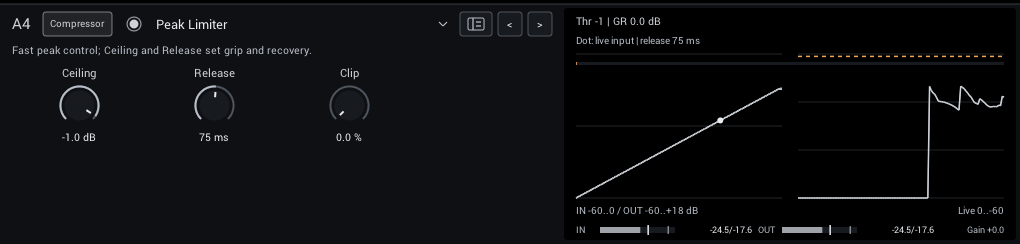
A fast peak limiter for catching transients at the end of the rig. Clip rounds peaks before limiting, so fast notes need less gain reduction.
| Control | Range | Start | What it does |
|---|---|---|---|
| Ceiling | -24 to 0 dB | -1 dB | Peak target. With no lookahead, it is not a guaranteed true-peak ceiling. |
| Release | 10–500 ms | 75 ms | How quickly gain recovers after a loud peak; short settings can sound more aggressive. |
| Clip | 0–100% | 0% | Soft-clips peaks from 3 dB below the ceiling before limiting, so the gain moves less on fast transients. Adds harmonics; 0% is off. |
Display: The limiter curve with a dot at the live input, and the history.
Tips:
- Use it last in Post to protect your DAW from peaks; keep Clip low for clean tones.